This domain is for sale. If interested, please, contact us at pelhrimov[AT]yahoo.com for more details.
How to set the 3GB boot.ini switch
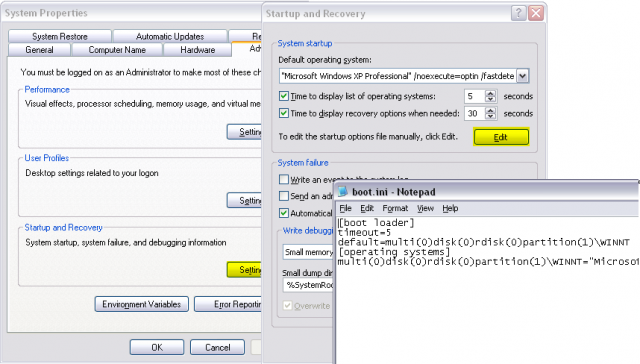
The 3GB switch tells the Windows operating system how much memory to allocate for user virtual address space and how much for the operating system. It is used to allocate more memory to applications and less memory to the operating system.
See the 3GB Switch in Windows boot.ini page for more details.
.
Discuss this article or this topic in our discussion forum:
(The table bellow shows a list of 8 most recent topics posted in our discussion forum. Visit our discussion forum to see more. It is possible the links below are not related to this page, but you can be certain you will find related posts in the discussion forum. You can post one yourself too.)
Email this article to a friend:
.
How can I link to this web page?
It is easy, just include the code provided below into your HTML code.
Maxi-Pedia
Search Maxi-Pedia
Interesting Topics
- Wireless networking: Wi-Fi 802.11n standard
- Synthetic Long Put
- Drupal cache clean up - cache_clear_all()
- ISO 27001 (ISO/IEC 27001:2005)
- Windows Server 2008 - What is new?
- Hex to decimal converter
- Excel 2003 DATA menu commands in Excel 2007
- Alternative Minimum Tax (AMT)
- Internal-External (IE) Matrix
- How to edit group policy
Favorite Topic
More Details
Selected Topics
Maxi RSS Feeds


